fb-pixelSkip to main content
Aragon.ai
THE #1 RANKED AI PHOTO EDITOR

Free AI Photo Background Changer - Remove and Replace Photo Backgrounds

Change the background of any photo with Aragon's photo background changer. Upload your photo, pick a solid color, a scene, or your image, and download the finished edit.

total reviews on
Click on one of these photos to try:
1
2
3
A man in a navy sweater appears inside a laundromat, a swapped backdrop created by the Background Changer tool.

Trusted by Industry Leaders. Millions of images edited to date.

PWC logo
Microsoft logo
ASU logo
redfin logo
New York University logo
Trinity College Dublin logo
University of Michigan logo
Keller Williams logo
AT&T logo
Berkeley logo
See it work

See AI Background Changer Before and After Results

See how a busy background turns into a clean color or a new scene.

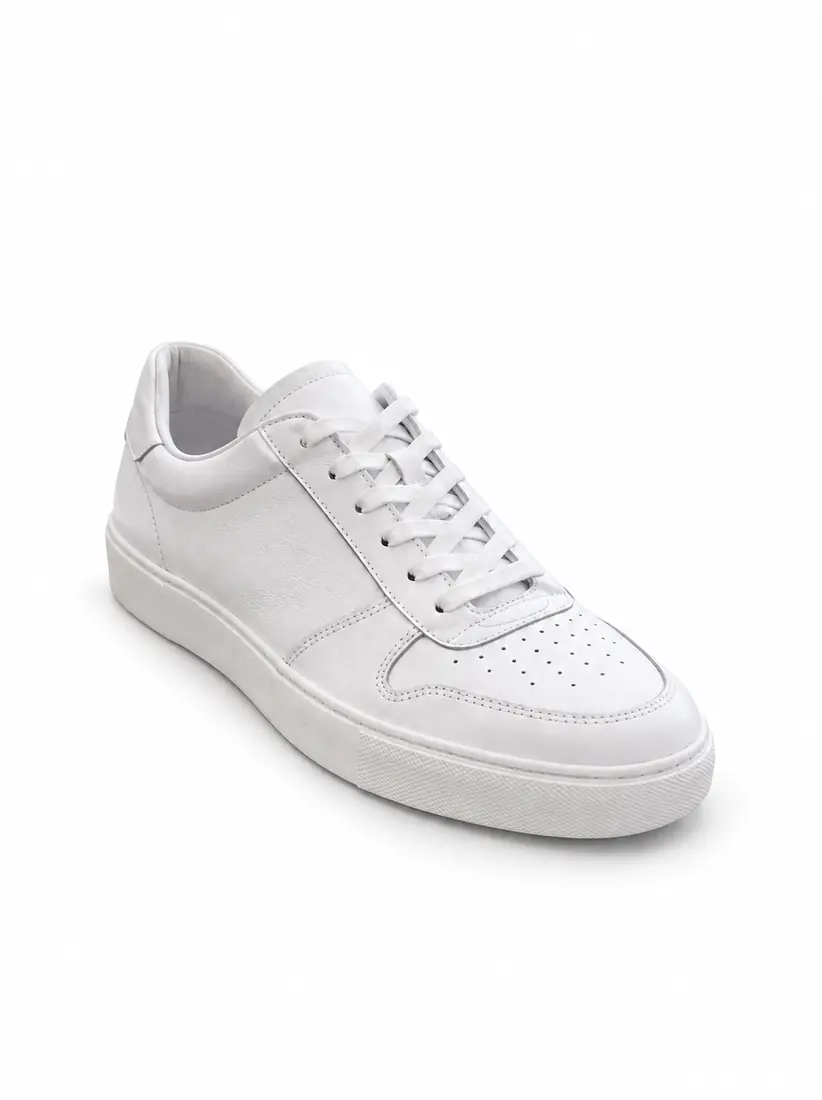
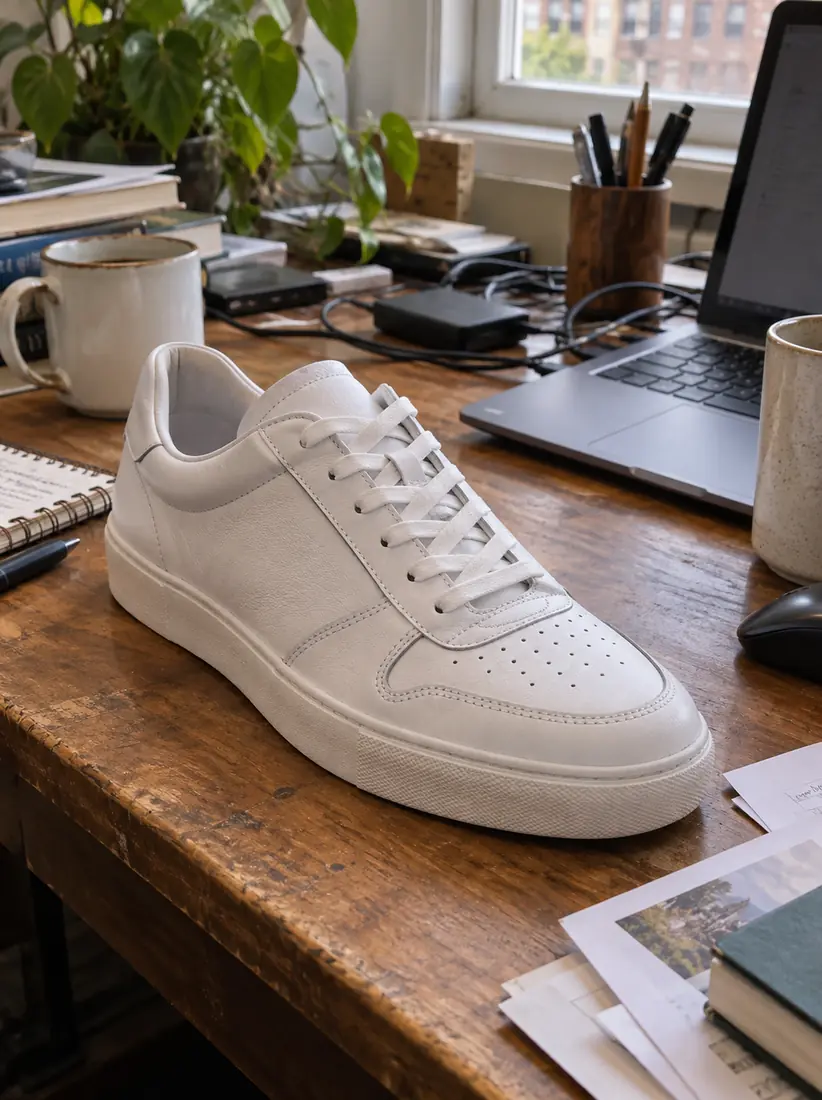
The same sneaker sits on a clean seamless white ecommerce backdrop, isolated by the Background Changer.
A white leather sneaker sits on a cluttered wooden desk among cables and papers, before the Background Changer isolates it.
Before
After

Product Photo on a White Background

A sneaker shot on a messy desk becomes a clean product photo in plain white.
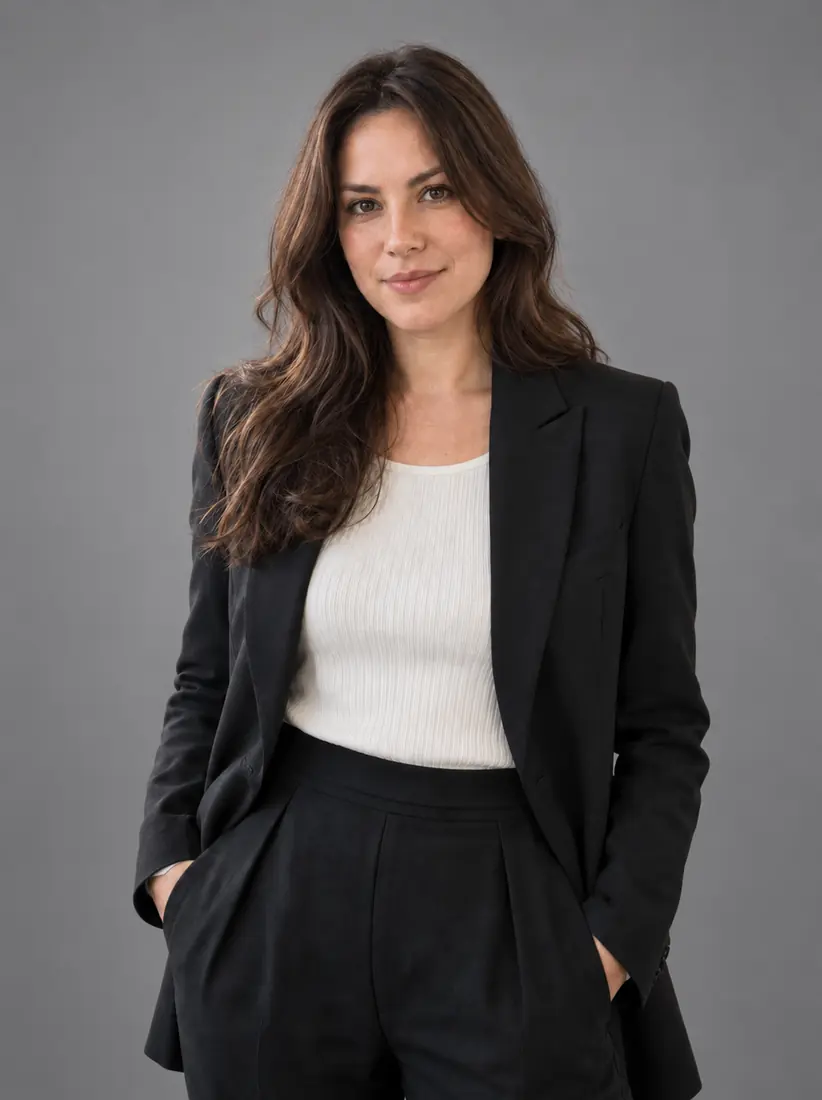
The same woman stands against a smooth studio-grey backdrop with soft portrait lighting, placed there by the Background Changer.
A woman in a blazer stands in a busy open-plan office with colleagues behind her, before the Background Changer replaces the room.
Before
After

Headshot on Studio Gray

A woman photographed in a busy office now stands against a smooth studio gray background.

Smiling man in a dark sweater in an arcade full of neon game machines while a man behind him raises both fists
A smiling man in a navy sweater stands in a bright room, the original photo before background removal.
Before
After

Portrait in a New Scene

A man photographed in a plain room now appears in a bright scene made for a YouTube thumbnail.

How Do You Change a Photo Background With Aragon?

Upload your photo, choose a new background, then review and download the result.

  1. Upload a photoPNG, JPG, HEIC up to 120MB
    A woman in a blazer stands in a busy open-plan office with colleagues behind her, before the Background Changer replaces the room.
    1

    Upload Your Photo

    Upload a photo where the person or product is easy to separate from the current background.

  2. 2

    Choose a New Background

    Choose a solid color, upload your own image, or remove the current background.

  3. The same woman stands against a smooth studio-grey backdrop with soft portrait lighting, placed there by the Background Changer.
    A woman in a blazer stands in a busy open-plan office with colleagues behind her, before the Background Changer replaces the room.
    Before
    After
    3

    Review and Download

    Review how the person or product looks in the new background, then download the finished photo.

Features

What Does an AI Background Changer Do?

An AI background changer separates the person or product in your photo from the background, then replaces it with a new background.

A smiling man in a navy sweater stands in a bright room, the original photo before background removal.Before
A man in a navy sweater appears inside a laundromat, a swapped backdrop created by the Background Changer tool.After

Clean Edges Around Hair and Fine Details

Aragon traces the outline for you, including loose hair and detailed outlines. This means you get a clean cutout without tracing anything.

A woman in a floral blouse stands in a kitchen, before the Blue Background changer swaps the room for a studio backdrop.Before
A woman in a floral blouse appears against a solid bright blue background, created by the Blue Background changer.After

Use Solid Colors

Choose a simple color when you need a clean background for a product photo, headshot, or profile image.

A smiling man in a navy sweater stands in a bright room, the original photo before background removal.Before
Smiling man in a dark sweater at a party with disco lights as two older women in sunglasses dance behind himAfter

Add Your Own Background

Upload your own image when you want a specific background behind the person or product.

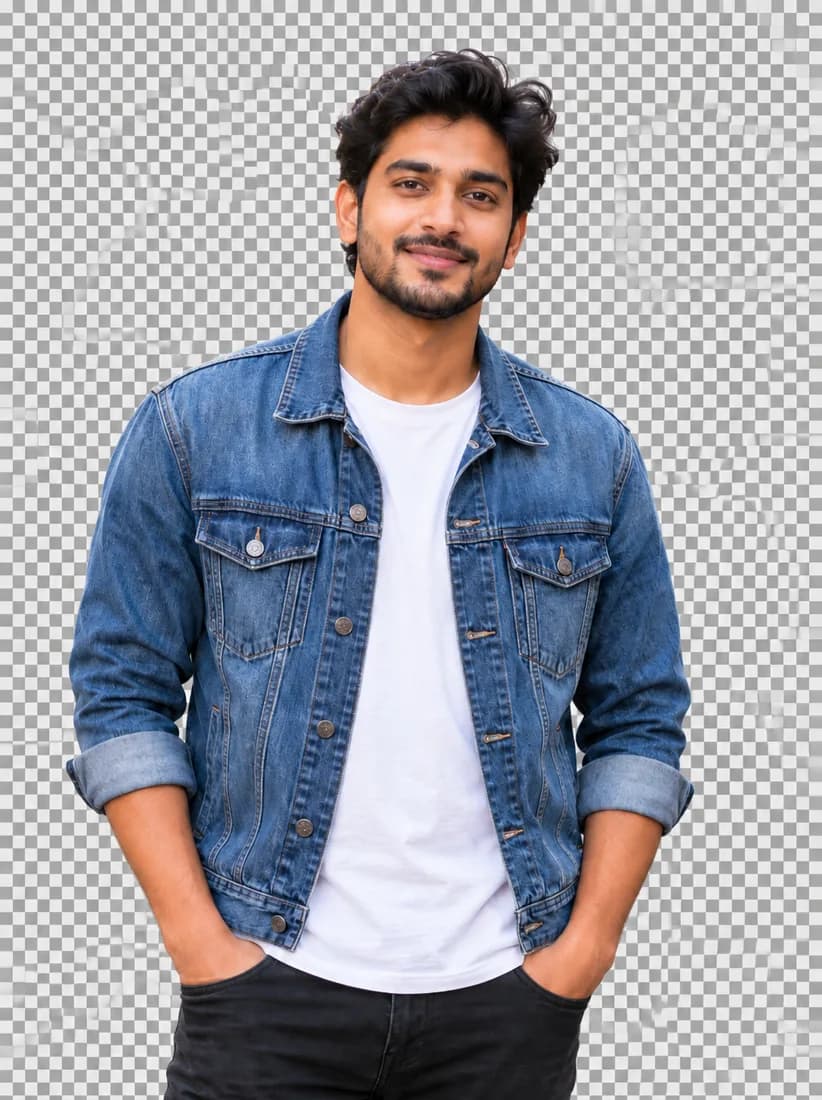
A man in a denim jacket standing on a busy street.Before
The same man cut out on a transparent checkerboard background.After

Remove the Background

Remove what appears behind the person or product when you need a transparent background for design work.

Four team headshots, each taken against a different background.Before
The same four team headshots, all on one light-grey background.After

Keep Photos Consistent

Use the same color or image across product shots or team photos for a more consistent look.

Who Uses an AI Background Changer?

A background changer helps when you already have the right photo but need a different background.

  1. A laptop showing a store grid of sneakers, all on the same pale blue background.

    Online Sellers

    Put product photos on the same simple background so store and marketplace listings look consistent.

  2. The same woman stands against a smooth studio-grey backdrop with soft portrait lighting, placed there by the Background Changer.

    Professionals

    Replace a busy office with a simple background before using the photo on a profile or resume. For a fully new professional photo, try LinkedIn Headshots.

  3. A laptop showing a video thumbnail of a surprised creator on a bold orange background.

    Content Creators

    Use a bold color or custom image to give thumbnails and social posts a background that fits the content.

  4. Four team headshots in a grid, all on the same light-grey background.

    Small Teams

    Add the same background on team photos so your website looks consistent even when the photos were taken in different places.

  5. A woman in a navy blazer and checkered shirt smiles against a solid cobalt blue backdrop from the Background Changer tool.

    People Preparing ID Photos

    Switch to a plain white or blue background, then check the exact photo rules for the document and use the same color in your photo background.

Which one do I need?

Background Changer or Background Removal?

Background Changer adds something new behind the person or product, while background removal leaves that area transparent.

Main jobReplaces the current backgroundRemoves the current background
ResultA photo with a new color or imageA photo with a transparent background
Useful forHeadshots, products, profiles, and social postsSlides, designs, stickers, and layered graphics
Used by teams at brands you know

What Our Customers Say

Millions of images have been edited with Aragon's AI photo editors, and teams at PwC, Microsoft, Redfin, and NYU use Aragon.

total reviews on
The same sneaker sits on a clean seamless white ecommerce backdrop, isolated by the Background Changer.
Free daily credits

Change Your Photo Background Today

Upload your photo and swap the background for a solid color, a scene, or your own image.

Your photos stay privateNo editing skills requiredJPG, PNG, WEBP, HEIC

Have a question? We're here to help

Customer satisfaction is our number one priority. Our live agents are available 7am - 11pm (PT), 5 days Sunday through Thursday.

An AI photo background changer is a tool that finds the person or product in a photo and replaces the background with a new color, scene, or transparent layer.

Aragon keeps the person or product in the photo and replaces the area behind it with the background you choose from the library.

Most photos work well, especially when the person or product has a clear outline. Shapes with many gaps, like a bike wheel or a fence, can make the AI miss small inner areas.

Yes. Choose the remove-background option instead of a new background, and you'll get a transparent PNG at the same size as your original photo.

Removing a background deletes everything behind the person or product and leaves a transparent image. Changing a background fills that space with a new color, scene, or image.

Yes. Pick the remove-background option, then download the result as a transparent PNG.

You'll find them inside the tool. The library includes solid colors, abstract patterns, and realistic scenes.

Yes. Aragon traces loose hair and detailed edges so they stay clean against the new background.

No. Upload your photo, choose a background, and the AI handles the cutout and blending.

Most photos finish in a few minutes. Larger, high-resolution files can take a little longer.

Yes. You need an Aragon account to use the AI editing tools. It keeps your credits and downloads in one place.

Upload your photo, choose the solid color option, and pick white. Then download your photo with the new white background.

Yes. Upload your own image at the background step instead of picking one from the library.

Yes. Free credits come with your account, so you can try it before you upgrade.

You can upload JPG, PNG, WEBP, and HEIC photos from your phone, camera, or scanner.

A clear, sharp photo usually gives a natural result. If your photo is blurry, run it through Unblur Image first, then Aragon blends the new background with the lighting in your photo so the edit looks like one image.

No. Background Changer replaces what's behind the person or product in your photo. Image Extender adds more room around the edges of the original frame.

No. This tool works on photos. For video, use Aragon's Video Background Remover.

Usage rights depend on your plan and the specific content generated. See Aragon's Terms and Conditions for full details.

Your uploads stay private during processing. For full details, see Aragon's Privacy Policy.

Try Aragon's AI powered editing tools today

The Leading AI Headshot Generator for Professionals

Trustpilot

Trusted by professionals and teams

Earn 30% for every referral

Join our affiliate program for free!
SOC 2 Type II compliant

Copyright © 2026 Aragon AI, Inc. All rights reserved.

Terms of Use & Privacy Policy