


fb-pixelSkip to main content
THE ALL-IN-ONE AI VIDEO STUDIO

Free Ai Faceless Video Generator

You don't need to appear on camera. Start from an idea or a script, and Aragon builds a faceless video with narration carrying the story. Export it when it's ready.

total reviews on
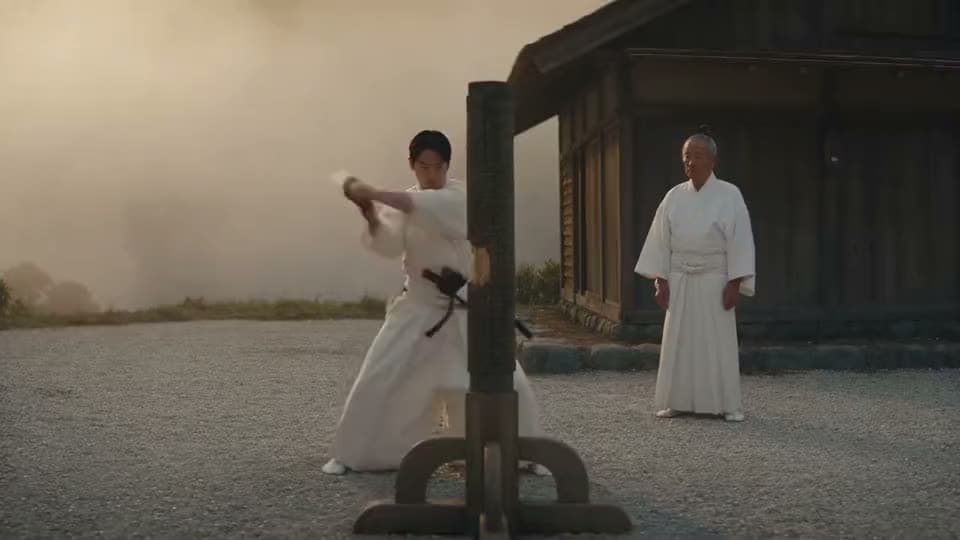
An AI video of a young swordsman in white robes striking a wooden post in a gravel courtyard as an elder master watches.
ScriptSeedance 2.5

00:00–00:04 — Wide shot: narrator watches a young samurai practicing sword strikes against a wooden post at dawn, an older master observing silently nearby. Narration: "Training began before sunrise, and repetition was everything — the same strike, thousands of times." 00:04–00:09 — Medium shot: narrator watches the…

See Faceless Video Results Before You Commit

See what a faceless video looks like when you never step in front of a camera.

An AI video of a mound of flour and a jar of sourdough starter on a wooden kitchen counter in morning sunlight.
ScriptSeedance 2.5

00:00–00:04 [Title Card + Static Wide, Mode A] 00:04–00:08 [Locked-Off, Mode A, Hands Mixing]

Short script

Short script → a 16:9 explainer with narration, no face on screen.

A sourdough starter on a kitchen counter, shown step by step while a voice walks through the process.
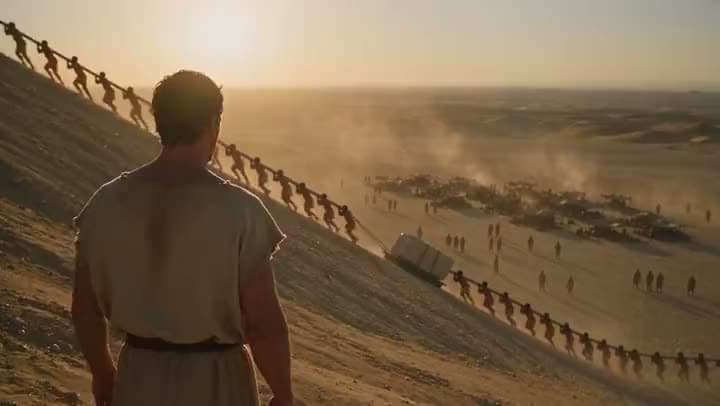

An AI video of a man in a tunic watching lines of workers haul a stone block up a sand ramp in the desert at sunset.
Listicle-style script

Listicle-style script → a scene-backed video without a presenter's face.

Workers hauling stone up a ramp in the desert, narrated like a list-style history explainer.

Create faceless video

How to Make Faceless Videos with Aragon

Enter an idea or paste a script, choose how the visuals should carry the story, then generate and export.

  1. 1

    Enter an Idea or Paste Your Script

    Bring a topic, an outline, or a full script you already have. The clearer the structure, the better the result.

  2. 2

    Choose Your Visuals

    Pick how you want the video to look. Aragon can generate the scenes, add a bit of movement to a still photo, or bring in extra footage as cutaways.

  3. 3

    Edit on the Timeline, Then Export

    Review the result, trim the pacing, and swap out any weak scenes or on-screen text. Then export for YouTube, Reels, or Shorts.

Create faceless video

What Should an AI Faceless Video Generator Actually Do?

A faceless video generator should let you make a real video without ever stepping in front of a camera.

Turn an Idea or Script into a Faceless Video

Faceless video starts from words you already have, whether that's a full script or just a topic you want to cover. Type it in, and Aragon builds scenes around it, so you never have to show your face.

A Voiceover That Guides the Viewer

Most faceless videos need a voiceover. Aragon can add one for you, so you don't have to record your own.

An AI anime clip of a young witch in a pointed hat and dark cloak flying a broomstick through a starry sky above a lit town.
A reference photo of an anime witch stirring a large cauldron in a cottage lined with jars, a broom and a pointed hat.

Visuals That Carry the Story on Their Own

Since you're not appearing on camera, the visuals have to do the storytelling on their own. Aragon can generate new scenes, add a slow zoom or pan to a still image, or pull in extra footage to support what the narration is saying.

Captions and On-Screen Text

Short social videos often need readable text right on screen. Add or adjust that text in the workspace before you export.

One Timeline, Built for YouTube and Social

A faceless YouTube video and a faceless Reel are made the same way, just exported at a different size depending on where they're going. Finish everything on one editable timeline, then export in whatever ratio the platform needs.

Try Free Online with Account Credits

Free credits come with your account, so you can try it before committing to a plan.

Stay Inside the AI Video Suite After You Export

This tool is built for one thing: staying off camera. Need something more specific?

Who Uses Faceless Video Like This?

Same faceless approach, used a few different ways.

An AI animated clip of a small figure peeking out from behind a mossy tree trunk onto a meadow of glowing white flowers.
YouTube channels

Faceless YouTube Channels Posting Weekly Without a Presenter

You already have topics and scripts. Turn them into weekly explainers or listicles without setting up lights or a camera.

An AI video in a clay-animation style of a deep-sea diver in a brass helmet walking among pink and orange coral, a tentacle above.
Creators

Creators Making Faceless Reels and Shorts

Vertical feeds reward a strong opening line. Stay off camera while your voiceover and on-screen text do the work.

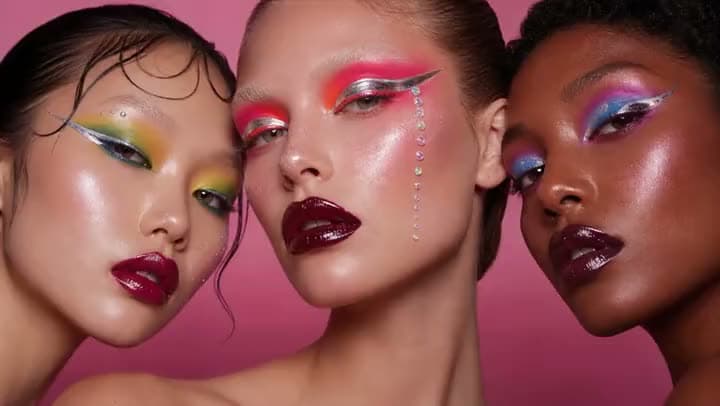
An AI video of three models with bold graphic eyeliner, colorful eyeshadow and dark glossy lips against a pink backdrop.
Marketers

Marketers and Ecommerce Teams Making Product Videos

Build product scenes with a voiceover explaining what makes it worth buying, then export for ads, landing pages, or social.

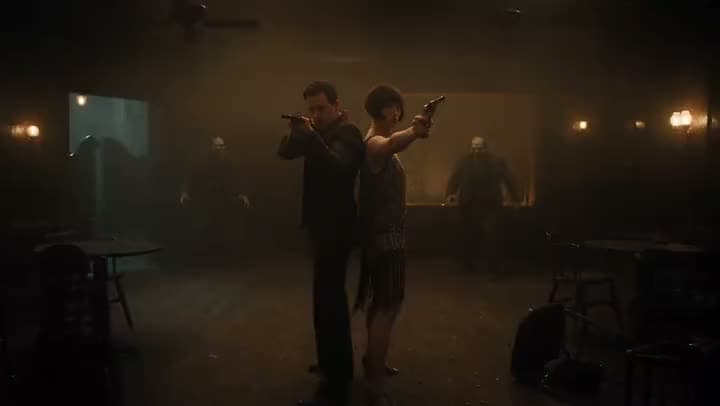
An AI video of a couple in 1920s clothes standing back to back with pistols raised as zombies close in on a dim speakeasy.
Publishers

Niche Publishers Turning Topical Scripts into Fast Videos

Paste your draft, generate the scenes, add narration, then export while the topic's still relevant.

Reviews

What our customers say

total reviews on

Create Faceless Video Today

Start from an idea or a script. Build a video with narration, no face required.

Have a question? We're here to help

Customer satisfaction is our number one priority. Our live agents are available 7am - 11pm (PT), 5 days Sunday through Thursday.

A faceless video tells its story without putting the creator on camera. On Aragon, you give it an idea or a script, and it builds a video with narration, ready to edit and export.

Enter an idea or paste your script, choose how the visuals should carry the story, review the result on the timeline, then export. This is for staying off camera entirely. If your main goal is turning a longer script into matching scenes, with or without your face, Script to Video is built for that instead.

Yes. Choose a 9:16 format, keep the face out, add narration, adjust your on-screen text, then export. Faceless Reels work the same way as longer faceless videos, just made to fit short-form platforms.

Yes. Free credits come with your account so you can try it online before upgrading. Paid plans unlock more.

No. Aragon adds the narration for you. If you'd rather use your own voice, you can bring your own audio in through other tools in the suite.

That depends on YouTube's rules, your niche, and your content quality, not on any tool. Aragon helps you produce the video. It doesn't guarantee revenue, subscribers, or AdSense approval.

That depends on your plan. Check the pricing page for current details.

Personal and commercial usage rights depend on your plan and the specific content generated. See Aragon's Terms and Conditions for full details.

Your uploads stay private during processing. For full details, see Aragon's Privacy Policy.

Not quite. This page is for staying off camera entirely, starting from just an idea or a script. Script to Video is built for turning a full script into matching scenes, your face can still appear there. Instagram Reels Maker is a separate tool built specifically for vertical, Reels-ready editing.

The Leading AI Headshot Generator for Professionals

Trustpilot

Trusted by professionals and teams

Earn 30% for every referral

Join our affiliate program for free!

SOC 2 Type II compliant

Copyright © 2026 Aragon AI, Inc. All rights reserved.

Terms of Use & Privacy Policy