



























































































































































































































































































































































The Leading AI Headshot Generator for Professionals
THE #1 RANKED AI PHOTO EDITOR
AI Black and White Filter: Convert Photos to Monochrome
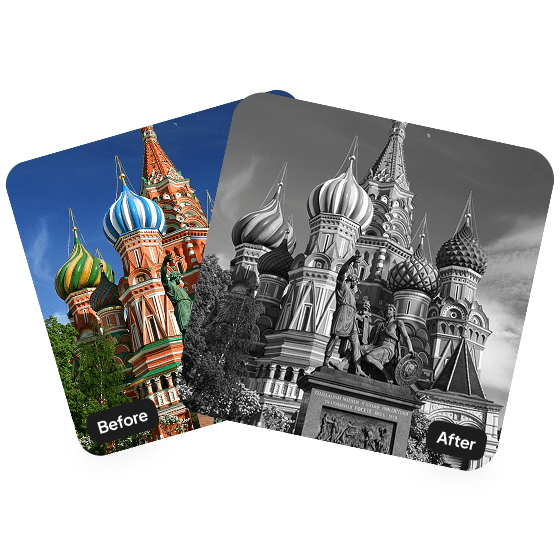
Upload your photo and Aragon's AI black and white filter converts it to a balanced monochrome version. The tool fine-tunes contrast and tone so light, depth, and texture stay natural in the converted image. Free to try.
Click on one of these photos to try:




Before
After
Trusted by Industry Leaders. Millions of images edited to date.









How does it work?
1
Upload your image
Upload the photo you want to convert. Aragon works with most common image dimensions. Portraits, landscapes, products, and full-body shots all work well — the clearer the original, the cleaner the converted monochrome result.
2
Apply the black and white filter
Once uploaded, our AI will convert your photo into monochrome while preserving natural light, depth, and texture.
3
Download your result
Your black and white photo will be ready shortly. Download it and use it for portraits, social media, branding, or anywhere you want a clean monochrome look.
What makes it special?
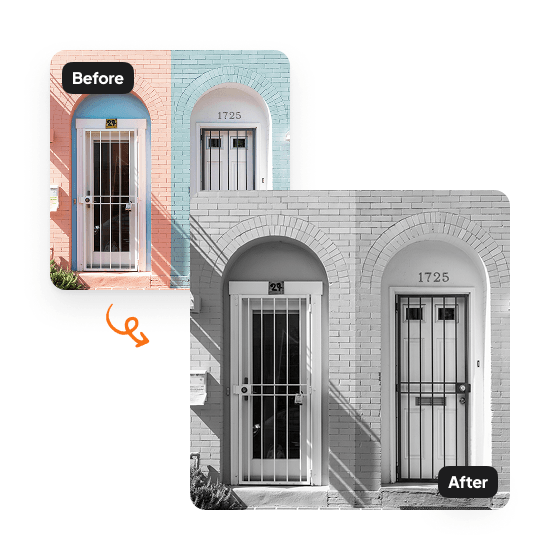
Timeless aesthetic, instantly
A clean monochrome conversion that never goes out of style. The black and white filter adds a cinematic feel to portraits, landscapes, product shots, and creative content — the look photographers reach for when they want the image to feel timeless rather than tied to a trend.
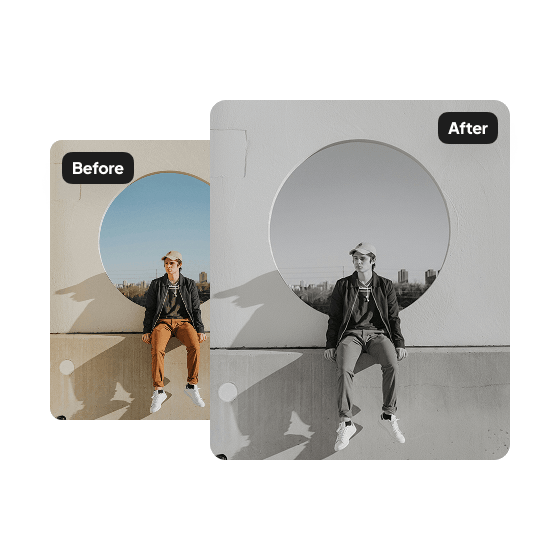
Balanced tones and contrast preserved
The AI fine-tunes the mix of light and dark tones to create a crisp, even monochrome result that feels natural and consistent. Detail in both shadows and highlights stays intact, so the converted image doesn't look flat or washed out.
Inside Aragon's color and tone suite
The Black and White Filter sits inside Aragon's broader color-management toolkit. Run a B&W conversion, then experiment with different moods using the Image Tone Editor for color tones, or use Photo Restoration to bring an old B&W photo back to color. One account, all the color tools. Free to try.
Have a question? We're here to help
Customer satisfaction is our number one priority. Our live agents are available 7am - 11pm (PT), 5 days Sunday through Thursday.
It's an AI tool that will convert your photo into a monochrome image while keeping natural lighting and contrast.
Upload your image, and our AI recreates it in monochrome, enhancing light and depth for a timeless look.
The filter works well on most images but looks especially striking on portraits or shots with strong lighting.
Your monochrome edit will be ready within minutes and will appear in your dashboard once complete.
Explore our other AI Photo Editing Tools
Touch up your photos even further with our suite of photo editing tools and features
