The Leading AI Headshot Generator for Professionals
THE #1 RANKED AI PHOTO EDITOR
Free AI Email Signature Generator: Create Professional Sign-Offs in Minutes
Build a professional email signature with your AI headshot, contact details, and social icons in minutes. Free templates, Gmail/Outlook/Apple Mail compatible, no design skills needed.
Your photos stay private
To:smith@example.com
Subject:Checkout my email signature!
Hi Smith!
I wanted to share my new email signature with you, which I generated using Aragon. It's a fantastic tool that allows you to customize your email signature to match your personal or professional brand. The process was incredibly easy and intuitive.

John Carter
AI Headshot model • Professional headshot taker
+1 (345) 087 1239 • www.johncarter.com
Trusted by over professionals and teams. .









Your Signature in Four Simple Steps
Follow these quick and simple steps to design a signature that stands out.
1
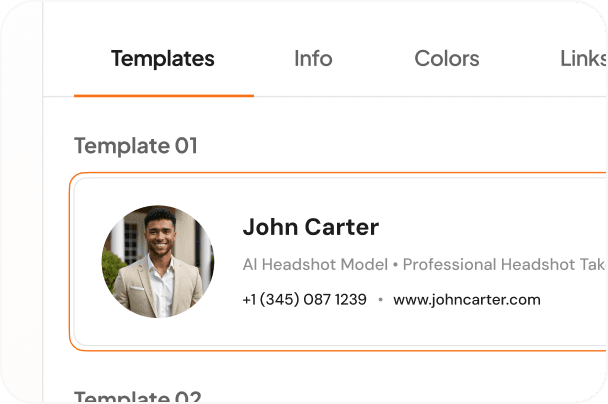
Choose Your Signature Layout
Start by selecting a layout that best fits your signature style. Each template defines the position of your photo, name, contact details, and social links.
2
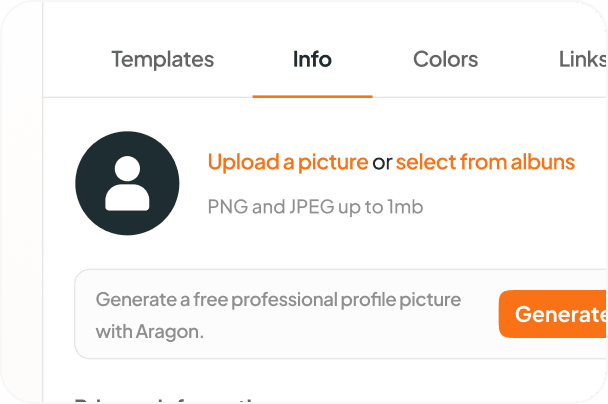
Enter Your Details and Photo
Fill in your name, job title, company, and contact information. Upload your headshot or profile photo to give your email signature a personal and professional touch.
3
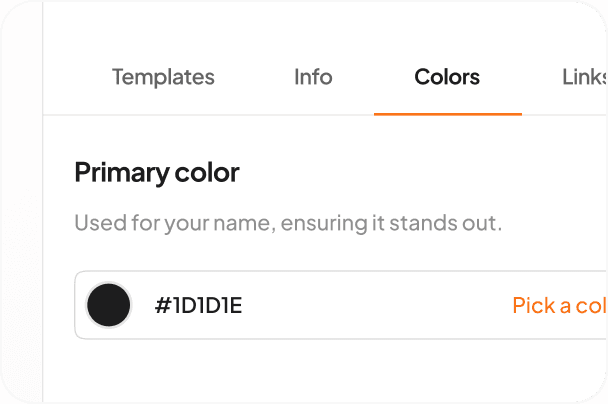
Match Your Brand Colors
Customize your signature colors using the color picker or a hex code. Matching your brand colors gives your email signature a polished, consistent look across all your communications.
4
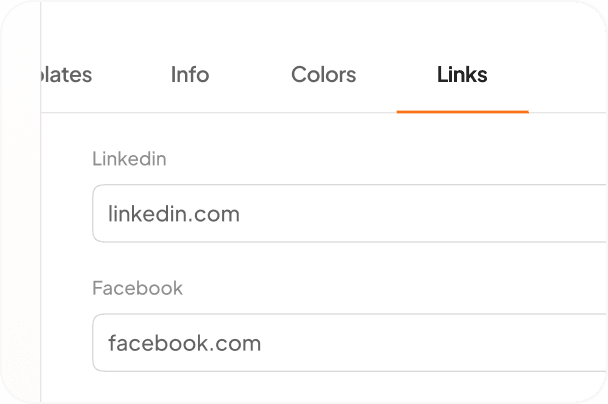
Connect Your Social Profiles
Enhance your signature with clickable social media icons. Simply add links to your LinkedIn, Facebook, Instagram, or X (Twitter) profiles to keep your contacts connected.
Effortless Email Signature Creation

Professional templates with social icons
Pick from Aragon's email signature template library, each designed with a slot for your headshot, contact details, job title, and clickable social media icons (LinkedIn, X, Instagram, and more). Customize colors with the color picker or exact hex code input to match your brand.

Clickable Social Media Buttons
Traditional email signatures often lack details other than your name, job title, and company, but ours include clickable social media icons. Link your profiles directly and make it easy for email recipients to connect with you online.

Real-Time Previews
Say goodbye to test emails. Our built-in preview feature lets you see your edits in real time. Ensure your design looks just like you intended without the guesswork.

Free to use, works with every email provider
Aragon's Email Signature Generator is free to use. The signatures work with Gmail, Outlook, Apple Mail, and every major email provider through standard copy-and-paste setup. No HTML coding required and no design skills needed.
Have a question? We're here to help
Customer satisfaction is our number one priority. Our live agents are available 7am - 11pm (PT), 5 days Sunday through Thursday.
Pick a professional template, enter your name, job title, company, and contact details, upload or generate a headshot, customize the colors, and add social media icons. Copy the finished signature into Gmail, Outlook, Apple Mail, or any major email provider. The whole process takes a few minutes and no HTML coding or design skills are required.
Yes. Aragon's AI Headshot Generator is built into the same platform, so you can generate 100 professional AI headshots from 6 selfies, pick your favorite, and drop it directly into your email signature without leaving the page. Most email signature tools require you to source your own headshot separately. With Aragon, the headshot generation and the signature creation happen in one workflow.
Yes. Aragon's email signatures work with Gmail, Outlook (desktop and web), Apple Mail, Yahoo Mail, ProtonMail, and any email provider that supports custom signatures. Copy the generated signature and paste it into your email client's signature settings. The signature displays consistently across providers and on desktop, mobile, and tablet.
Yes. The Email Signature Generator is free to use on Aragon. You can pick a template, customize the design, and download the finished signature without paying. Aragon Pro plan subscribers get additional template options and integration with the full Aragon photo editor and headshot suite.
HubSpot's Email Signature Generator delivers professional templates with standard contact and social fields, with the user supplying their own headshot from another source. Aragon's tool delivers the same template flexibility and additionally includes built-in AI headshot generation. Generate the headshot AND build the signature on one platform, which is useful when you don't already have a professional headshot ready to use. Aragon also doesn't require a marketing email signup gate for basic templates.
Yes. The Email Signature Generator is well-suited for college students, recent graduates, and early-career professionals who need a polished email signature for internship applications, recruiter outreach, and networking emails. Aragon's free AI Headshot Generator pairs naturally with the signature tool so students can build a complete professional brand asset (headshot + LinkedIn-ready signature) before they start applying for jobs.
Yes. Aragon saves your email signature so you can return and edit any details (job title, company, contact info, headshot) when your role changes. The updated signature is regenerated and ready to copy into your email client. Aragon Pro plan subscribers can manage multiple signature versions for different purposes (work, personal, freelance).
Yes. The color customization feature lets you adjust your signature colors using a color picker or by entering a specific hex code. This makes it straightforward to match your signature to your company or personal brand colors precisely.
