

























































































































































































































































































































































The Leading AI Headshot Generator for Professionals
THE #1 RANKED AI PHOTO EDITOR
AI Image Upscaler: Increase Photo Resolution Without Losing Detail
Upload a photo and Aragon's AI image upscaler adds pixels intelligently to increase resolution while preserving the original detail. Free to try. Ready in a short time, ready for print or screen.
Click on one of these photos to try:



Before
After


Trusted by Industry Leaders. Millions of images edited to date.









How does the Image Upscaler work?
1
Upload your image
Upload the photo you want to upscale. Aragon works with most common image formats and dimensions. Start with the highest-quality version of the original you have, since the AI can only enhance what's already there.
2
Let the AI upscale the image
Aragon increases the resolution of your photo by adding new pixels intelligently, transforming low-resolution images into sharper, higher-resolution versions while preserving as much detail as possible.
3
Download your image
Review the upscaled image and download it. Use it for large prints, posters, banners, high-resolution displays, or any context where you need more pixels than the original photo had.
What makes our Image Upscaler special?
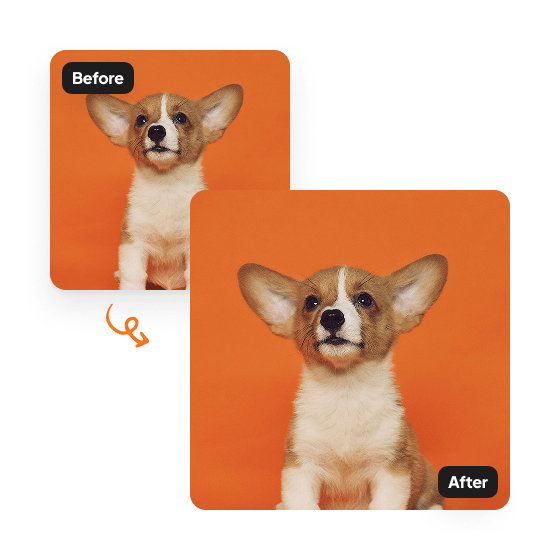
Sharper, higher-resolution photos
Upscale low-resolution photos to crisp HD with Aragon's AI image upscaler. Intelligent pixel enhancement makes blurry, small images look sharp and professional.
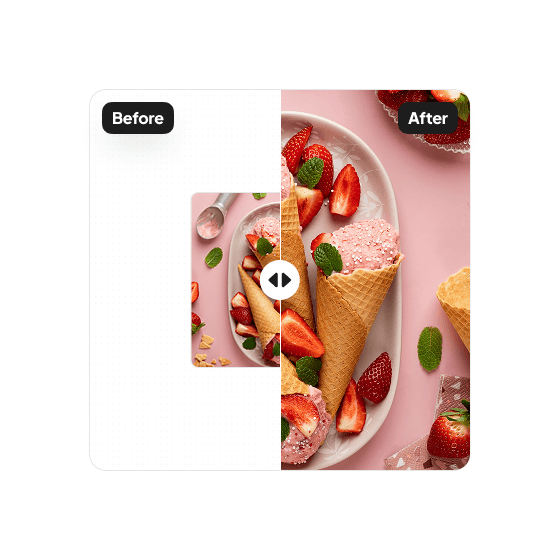
Recover low-resolution photos
Compressed, blurry, or small images come out significantly clearer after upscaling. Resize for banners, posters, or high-definition displays without losing sharpness.
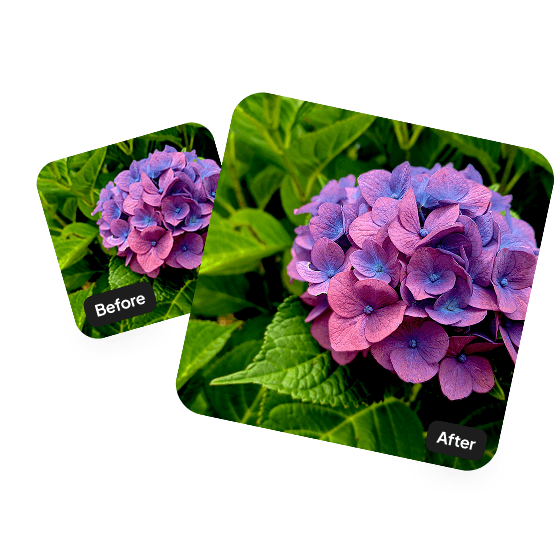
Ready for print and large displays
Upscaled photos download in high resolution, ready for printing at larger sizes without visible quality degradation.
Have a question? We're here to help
Customer satisfaction is our number one priority. Our live agents are available 7am - 11pm (PT), 5 days Sunday through Thursday.
Our cutting-edge AI technology enhances your image by adding new pixels, creating a higher-resolution version while preserving as much detail as possible.
Our tool works with all major image formats. However, it may not fully recover details lost in very low-resolution images, so some pixelation or blurriness could remain. High-resolution images typically won't benefit much from upscaling, so the tool is best used on genuinely low-resolution photos.
Yes, the AI increases the resolution by adding more pixels, which also increases the file size of the enhanced image.
Not at all! the tool is designed to be user-friendly and intuitive. Just upload your image, click a button, and let the AI do its magic. No editing experience is needed.
Depending on the uploaded image size and resolution, the upscaling process can take a couple of minutes.
Explore our other AI Photo Editing Tools
Touch up your photos even further with our suite of photo editing tools and features
